
Idea Contributor:Iurii Tokman, Code Developer:barabashkakvn.
Are you ready to boost your trading game? The Multi Stochastic Expert Advisor (EA) lets you trade using the iStochastic (Stochastic Oscillator) indicator signals across four different financial instruments simultaneously. You can easily configure the EA to suit your trading style by adjusting the input parameters for each symbol.
- Use Symbol #1: Enable or disable trading for symbol #1
- Symbol Name #1: Specify the name of symbol #1
- Use Symbol #2: Enable or disable trading for symbol #2
- Symbol Name #2: Specify the name of symbol #2
- Use Symbol #3: Enable or disable trading for symbol #3
- Symbol Name #3: Specify the name of symbol #3
- Use Symbol #4: Enable or disable trading for symbol #4
- Symbol Name #4: Specify the name of symbol #4
- Stop Loss (in pips): Set your Stop Loss value
- Take Profit (in pips): Set your Take Profit value
- Magic Number: This is an identifier for your EA
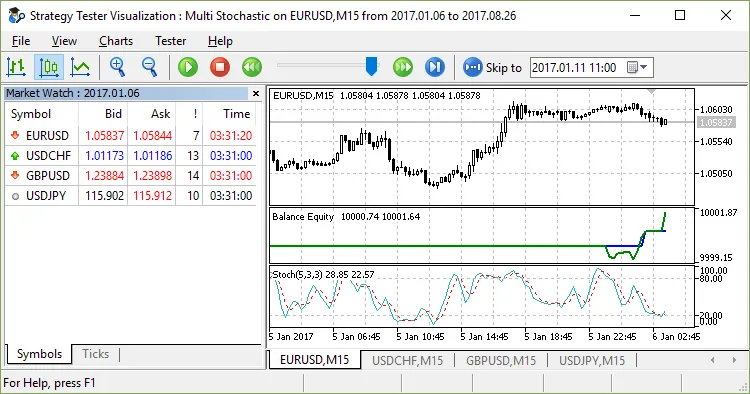
By leveraging the Multi Stochastic EA, you can efficiently manage multiple trades and capitalize on market movements. It’s a great way to enhance your trading strategy, whether you’re a seasoned pro or just starting out!




Comments 0