
Hier stellen wir euch eine Modifikation des Wochentage-Indikators vor, bei dem jeder Wochentag mit einer eigenen Farbe markiert wird:
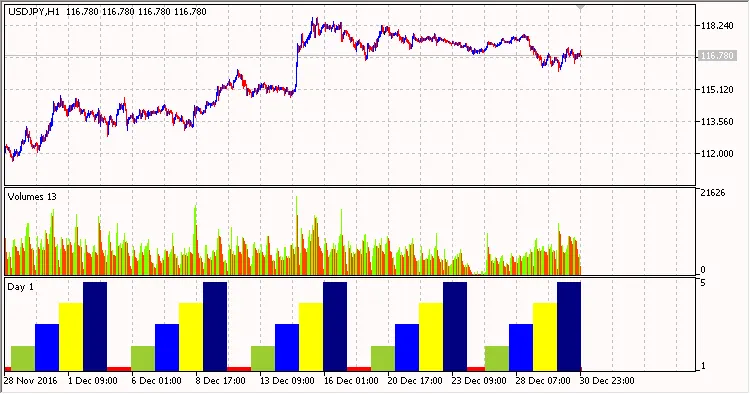
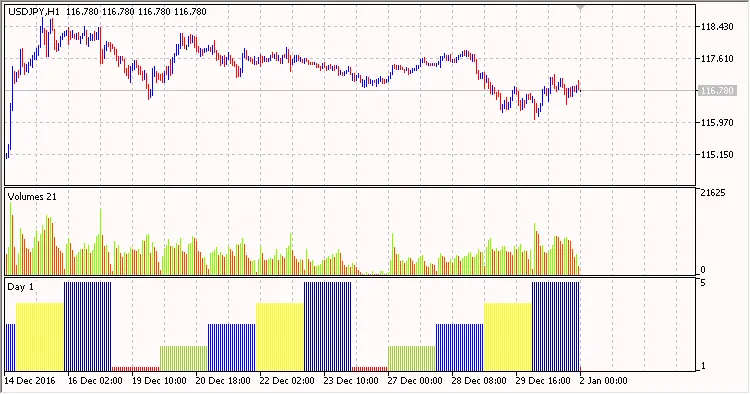
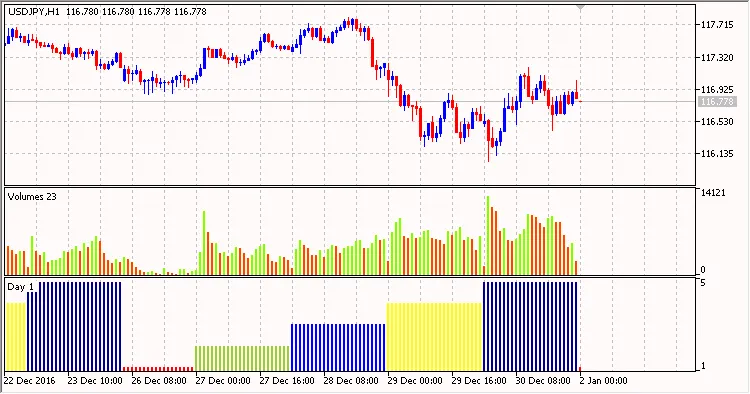
Um die Farbcodierung zu realisieren, benötigt der DRAW_COLOR_HISTOGRAM-Stil zwei Buffer: einen für die Werte HistogramBuffer und einen für die Farben HistogramColors:
//+------------------------------------------------------------------+//|                                       Wochentage-Farben.mq5 |//|                              Copyright © 2018, Vladimir Karputov |//|                                           http://wmua.ru/slesar/ |//+------------------------------------------------------------------+#property copyright"Copyright © 2018, Vladimir Karputov"#property link      "http://wmua.ru/slesar/"#property version   "1.000"#property indicator_separate_window#property description"Wochentage in Form eines Farbhistogramms"#property indicator_separate_window#property indicator_buffers2#property indicator_plots   1//--- Histogramm zeichnen #property indicator_label1  "Tag Farben"#property indicator_type1   DRAW_COLOR_HISTOGRAM//--- 8 Farben für die Färbung definieren#property indicator_color1  clrCyan,clrRed,clrYellowGreen,clrBlue,clrYellow,clrNavy,clrGold,clrMediumSeaGreen#property indicator_style1  STYLE_SOLID#property indicator_width1  2//--- Indikator Buffer double         HistogramBuffer[];double         HistogramColors[];
//+------------------------------------------------------------------+//| Benutzerdefinierte Indikator-Initialisierungsfunktion                     |//+------------------------------------------------------------------+
Die Farben werden in dieser Zeile festgelegt:
//--- 8 Farben für die Färbung definieren#property indicator_color1 clrCyan,clrRed,clrYellowGreen,clrBlue,clrYellow,clrNavy,clrGold,clrMediumSeaGreen
Hier hat clrCyan den Index "0", clrRed hat den Index "1" und so weiter.
Die Verwaltung der Histogrammfarben erfolgt durch die Zuweisung eines individuellen Farbindex zu jedem Index des HistogramColors-Buffers:
switch(STime.day_of_week)
        {
         case  0:
            HistogramBuffer[i]=0;
            HistogramColors[i]=0;
            break;
         case  1:
            HistogramBuffer[i]=1;
            HistogramColors[i]=1;
            break;
         case  2:
            HistogramBuffer[i]=2;
            HistogramColors[i]=2;
            break;
         case  3:
            HistogramBuffer[i]=3;
            HistogramColors[i]=3;
            break;
         case  4:
            HistogramBuffer[i]=4;
            HistogramColors[i]=4;
            break;
         case  5:
            HistogramBuffer[i]=5;
            HistogramColors[i]=5;
            break;
         case  6:
            HistogramBuffer[i]=6;
            HistogramColors[i]=6;
            break;
        }




Kommentar 0