
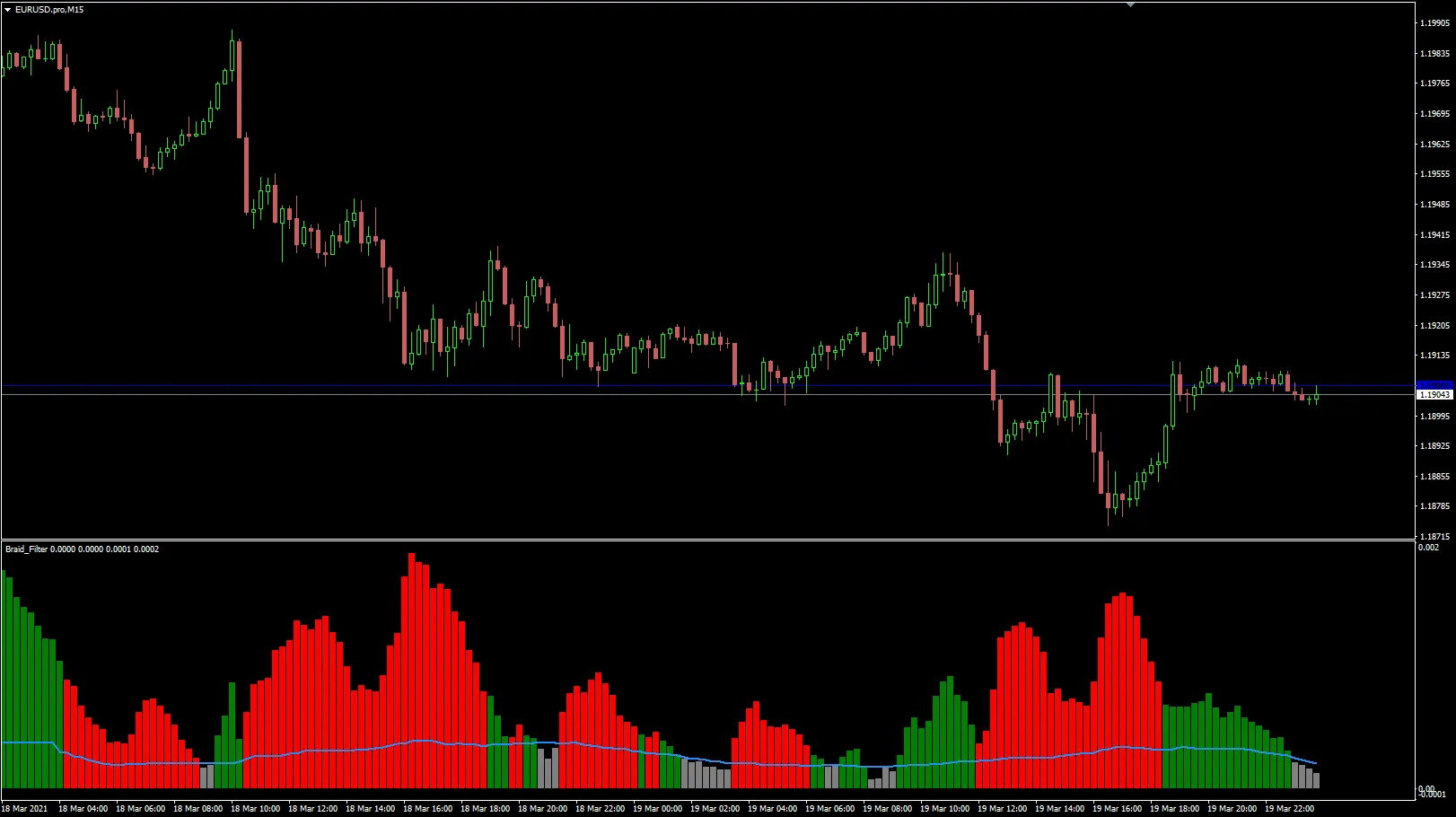
What is the Braid Filter Indicator?
The Braid Filter is a unique trading tool that was popularized by Robert Hill in the Stocks and Commodities magazine back in 2006. Designed for use with MetaTrader 4, this indicator aims to provide traders with clearer signals and enhance decision-making in their trading strategies.
How Does It Work?
This indicator analyzes price movements and helps traders identify potential trends by filtering out market noise. Essentially, it helps you spot those golden opportunities without getting bogged down by irrelevant fluctuations.
Why Use the Braid Filter?
- Enhanced Clarity: The Braid Filter provides a more straightforward view of market conditions, allowing you to make informed trades.
- Trend Identification: It aids in spotting both short-term and long-term trends, which is crucial for timing your entries and exits.
- Customizable: Depending on your trading style, you can tweak the settings to better suit your needs.
Getting Started with MT4
If you're eager to give the Braid Filter a shot, here's a quick rundown on how to add it to your MT4 platform:
- Download the Braid Filter indicator file.
- Open MetaTrader 4 and navigate to File > Open Data Folder.
- Find the Indicators folder and paste the file in there.
- Restart your MT4 platform.
- Under Navigator, locate the Braid Filter and drag it onto your chart.
Final Thoughts
The Braid Filter can be a powerful addition to your trading toolkit. By using this indicator, you can enhance your market analysis and potentially boost your trading success. So why not give it a try and see how it fits into your trading strategy?
Related Posts
- How to Use the Change Chart Symbol Menu for MetaTrader 4
- Unlocking MetaCOT 2: Your Ultimate CFTC Indicator Toolkit for MT4
- Unlocking the Power of Master Tools for MetaTrader 4
- Mastering the MACD Candle Indicator for MetaTrader 4
- Unlock Trading Insights with Volume Profile + Range v6.0 for MetaTrader 5