
If you're looking to sharpen your trading strategy, the Skyscraper_Fix_HTF_Signal indicator for MetaTrader 5 could be your new best friend. This nifty tool provides clear signals for trade direction based on the Skyscraper_Fix indicator. It visually displays trend directions with colored graphics and can even send alerts or push notifications to your smartphone when it's time to make a move!
When the trend remains steady at your selected bar, you'll see a right arrow pointing in the trend's direction, colored accordingly. But if the trend shifts, a diagonal arrow will appear to signal the new direction of your trade. It's like having a personal trading assistant right at your fingertips!
Here’s a quick rundown of the essential input parameters:
- Skyscraper_Fix Input Parameters:
inputstring Symbol_=""; // Financial assetinputENUM_TIMEFRAMES Timeframe=PERIOD_H6; // Timeframe for indicator calculationinputuint Length=10; // ATR periodinputdouble Kv=0.9; // Indicator sensitivity factorinputdouble Percentage=0; // Middle line approaching the extreme linesinput Method HighLow=MODE_HighLow; // Calculation method: High/Low or Close
- Visualization Parameters:
//---- indicator display settingsinputuint SignalBar=0; // Bar number for getting a signal (0 - current bar)inputstring Symbols_Sirname=INDICATOR_NAME"_Label_"; // Indicator labels namesinputcolor UpSymol_Color=clrLimeGreen; // Uptrend colorinputcolor DnSymol_Color=clrDeepPink; // Downtrend colorinputcolor IndName_Color=clrDarkOrchid; // Indicator name colorinputuint Symbols_Size=60; // Signal symbols sizeinputuint Font_Size=10; // Indicator name font sizeinputint X_1=5; // Horizontal name offsetinputint Y_1=-15; // Vertical name offsetinputbool ShowIndName=true; // Display indicator nameinputENUM_BASE_CORNER WhatCorner=CORNER_RIGHT_UPPER; // Display cornerinputuint X_=0; // Horizontal offsetinputuint Y_=20; // Vertical offset
- Alert Settings:
//---- alerts settingsinput ENUM_ALERT_MODE alert_mode=OnlySound; // Triggering optioninputuint AlertCount=0; // Number of alertsinputbool Push=true; // Allow push notifications
If you're planning on using multiple Skyscraper_Fix_HTF_Signal indicators on a single chart, be sure to give each one a unique value for the Symbols_Sirname variable to avoid confusion with the labels.
To get started, simply add the Skyscraper_Fix.ex5 indicator to the <terminal_data_directory>\MQL5\Indicators folder, and you're good to go!
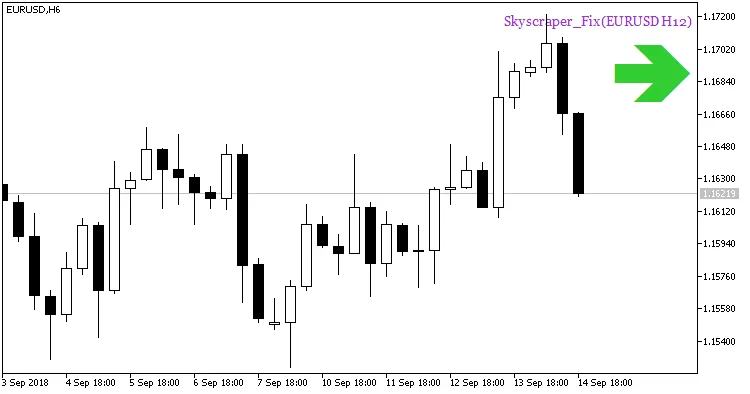
Fig. 1. A signal of trend continuation based on the data of the Skyscraper_Fix indicator
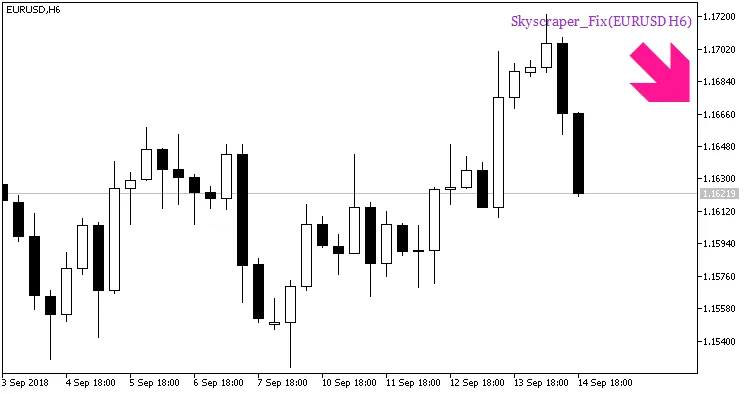
Fig. 2. A signal to open a position based on the data of Skyscraper_Fix indicator




Comments 0