
If you're a trader looking to enhance your analysis, the HarmonikManual indicator for MetaTrader 4 is a game changer. This handy tool not only lets you manually set the XABCD points but also automatically identifies the next Potential Reversal Zone (PRZ) for you.
This indicator is based on the original idea from Snorm's DavincisKiss. I've taken it a step further by modifying the Harmonic Ratios.mq4 created by Alltraders, adding some essential features along the way.
Check out the revamped look of the indicator:
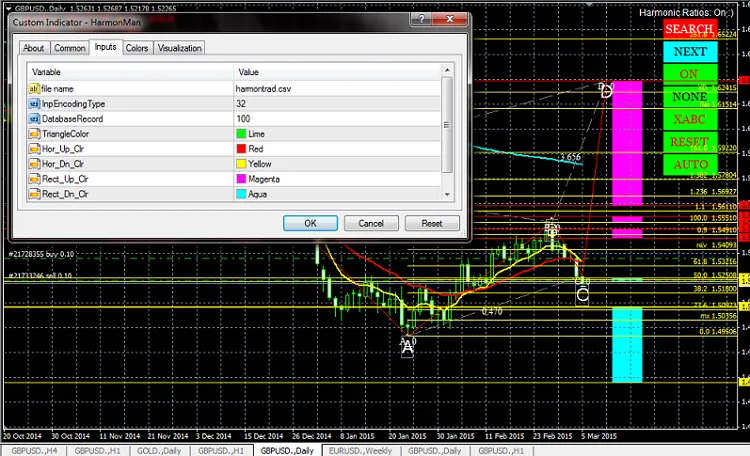
On the right side of the chart, you'll find some new features:
- SEARCH: This button scans for all possible patterns that might unfold next.
- NEXT: Move point D on the pattern to reveal its name.
- ON/OFF: Switch the indicator on or off as needed.
- COLOUR/NONE: Customize the color of the harmonic pattern or choose not to color it.
- XABC: Position the XABC point to the nearest high or low.
- RESET: Hit this button if you encounter any undefined errors.
- AUTO: A future feature I’m still brainstorming.
- Menu Movement: Press and hold the "M" key to move the menu; click to place it where you want.
Plus, you can use your own harmonic pattern database! Just change the "file name" and the number of "DatabaseRecord" in the inputs tab (as shown above). Don't worry if the number you input for "DatabaseRecord" is too large; the indicator will adjust accordingly. If it's too small, it will read only the number of records you specify. Just save your database file in
Meet the new version of the indicator: HarmonMan.mq4
namepatterns,minXB_,maxXB_,minAC_,maxAC_,minBD_,maxBD_,minXD_,maxXD_
 Bat,0.382,0.5,0.382,0.886,1.618,2.618,0.886,0.886
 Max Bat,0.382,0.618,0.382,0.886,1.272,2.618,0.886,0.886
 Max Gartley,0.382,0.618,0.382,0.886,1.128,2.236,0.618,0.786
 Alt Shark 2,0.446,0.618,0.618,0.886,1.618,2.618,0.886,0.886
 ...
The data above is your harmonic pattern database, which you need to save as harmontrad.csv and place it in terminal_data_folder\MQL4\Files.
Once the indicator is loaded, place the XABCD at any point. The left panel will display the pattern name if it's recognized; otherwise, it will compare AB to CD.
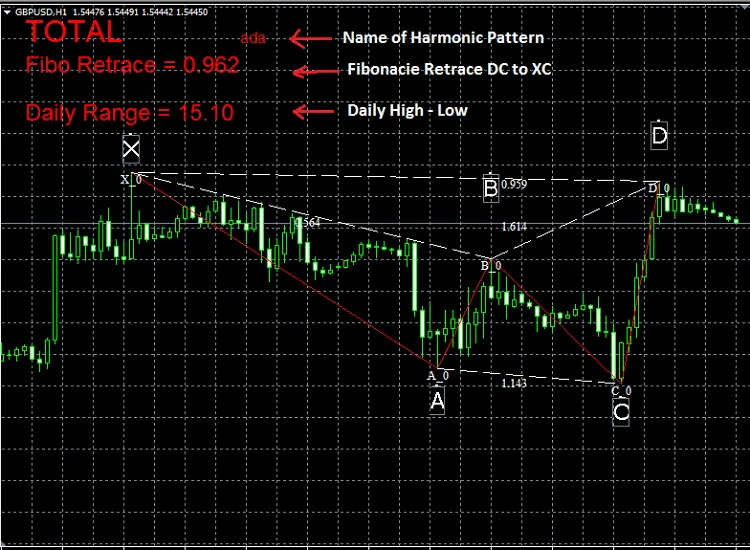
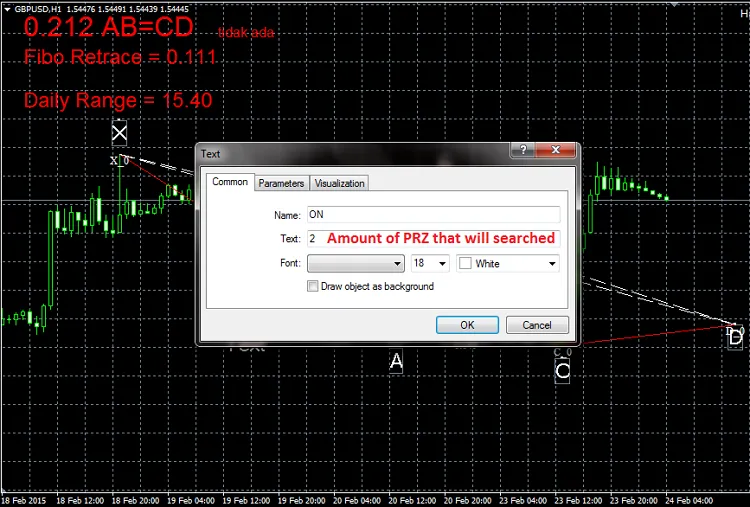
To find the next PRZ, place text D to the right of the last candle (Time[0]). If text D is above text C, the indicator looks for PRZ upwards, and vice versa. Set the text to ON and specify how many PRZ you want to search for.
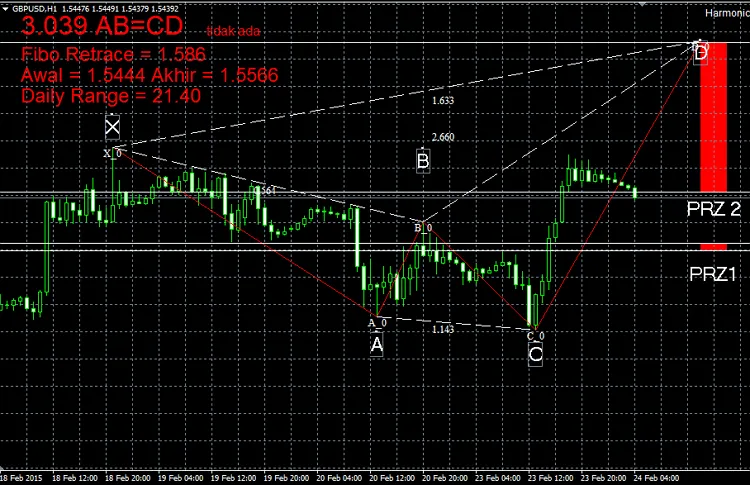
Check out the result below:
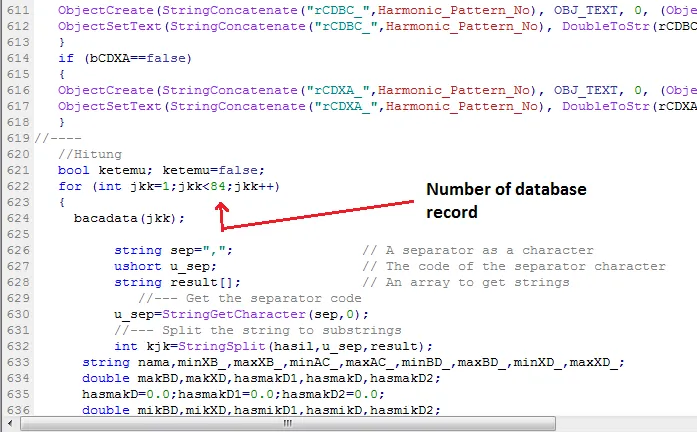
You can add more patterns to the harmontrad.csv, but remember to adjust the database record number at line 622:
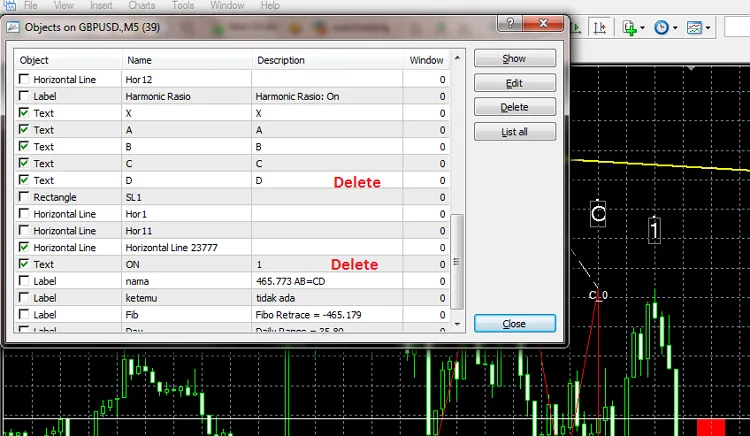
If point D disappears, simply press Ctrl+B to delete the text, name it D and ON, as shown below:
New text D will be formed automatically.




Comments 0