
Hey fellow traders! If you’re looking to sharpen your trading game, let’s dive into the Candle_Code indicator for MetaTrader 5. This nifty tool presents a unique "code" for candlesticks in a separate window, using lines that capture the essence of each candle's parameters.
So, what does the Candle_Code consider? Here’s the breakdown:
- Candlestick body size;
- Upper candlestick shadow size;
- Lower candlestick shadow size;
- Candle direction;
- Gap between adjacent candlesticks (current and previous).
Now, here’s where it gets interesting. If the weight of any parameter exceeds double the average range, it gets a straight-up value assigned to it. If not, its weight is adjusted based on the parameter range divided by its doubled average range.
Based on these calculations, a moving average (Weights Data) is constructed to reflect all available candlesticks in the history (just a heads-up, this line is turned off by default). This line is then smoothed out to give you the primary indicator line (Primary MA), and there's a secondary indicator line (Secondary MA) that smooths out the primary line.
Curious about the settings? The Candle_Code indicator comes with 10 customizable input parameters:
- Body size weight - the weight of the candlestick body;
- Upper shadow weight - weight of the upper shadow;
- Lower shadow weight - weight of the lower shadow;
- Candle direction weight - weight based on the direction (bullish or bearish) of the candle;
- Gap weight - weight of the distance between adjacent candles;
- Show weights data line - choose whether to display the overall calculated weight of each candlestick (Yes/No);
- First MA period - the period for calculating the first smoothing moving average based on candlestick weights;
- First MA method - the method used for calculating the first moving average;
- Second MA period - the period for the second smoothing moving average based on the first MA;
- Second MA method - the method for calculating the second moving average.
Let’s take a look at how to calculate the candlestick body weight:
BodySize = BodyWeight
Otherwise:
BodySize = BodyWeight * (Abs(Open-Close)) / Avg(Open-Close)
Where:
Abs(Open-Close) = absolute size of the candlestick body
Avg(Open-Close) = average size of the candlestick bodies over the historical data
BodyWeight = the candlestick body weight defined in the parameters
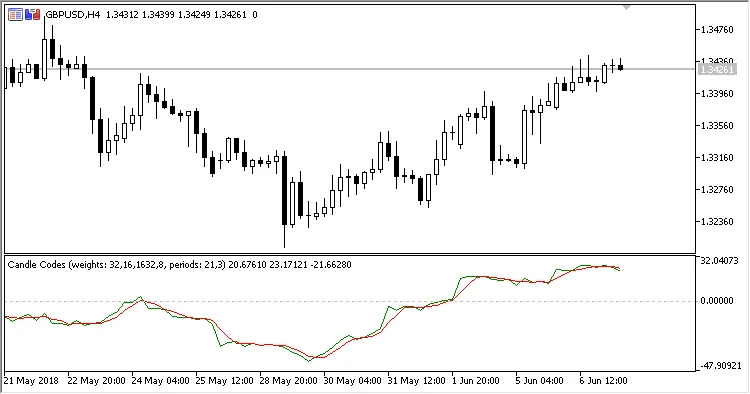
Fig 1. Default weights.
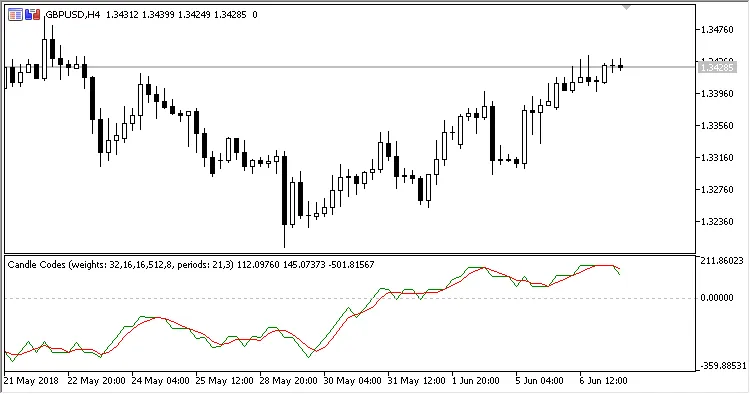
Fig. 2. Candlestick direction weight = 512
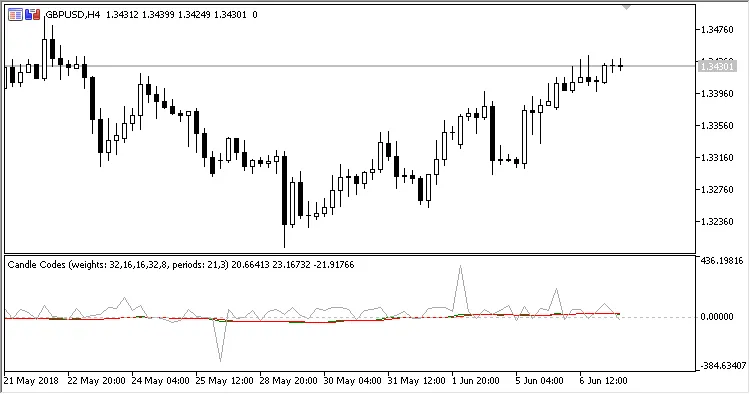
Figure 2. Default weights, Show data = Yes




Comments 0