
If you're trading with MetaTrader 5, you’ll want to check out the TDI-2 Bars indicator. This nifty tool changes the color of the bars based on the current trend as calculated by the TDI-2 custom indicator. So, what does that mean for you? Well, if the trend direction aligns with the candlestick, the bar will be light. If they’re going against each other, you’ll see a dark bar. Easy peasy!
To get started, you'll need to ensure that you have the SmoothAlgorithms.mqh library classes copied over to your terminal_data_folder\MQL5\Include. If you’re unsure how to do this, there's a solid guide available in the article "Averaging Price Series for Intermediate Calculations Without Using Additional Buffers".
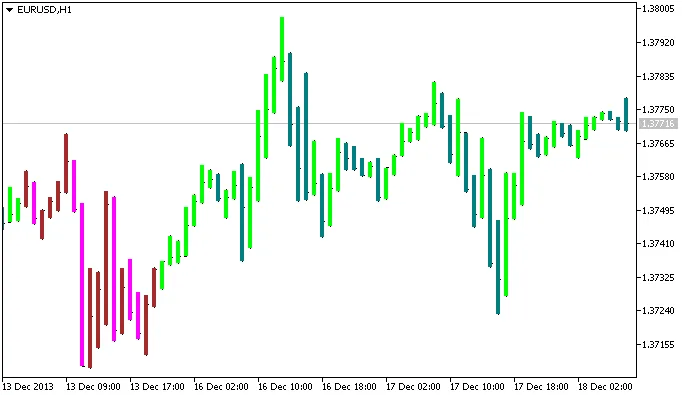
Figure 1. TDI-2 Bars Indicator
Related Posts
- Mastering the id_digits_object Indicator for MetaTrader 5
- Unlock Trading Insights with Volume Profile + Range v6.0 for MetaTrader 5
- Unlocking Trading Insights with Volume Profile + Range v6.0 for MetaTrader 5
- Understanding Candle Size: A Key Indicator for MetaTrader 5 Traders
- Unlock Trading Potential with MultiSignals_PCH Indicator for MetaTrader 5