
If you’re looking to enhance your trading experience on MetaTrader 4, the TimeLines indicator is a must-have tool. It automatically marks your chart according to time, making it easier to visualize important trading periods.
Understanding the Marking Period
The marking period for the TimeLines indicator can range from 5 to 43,200. Here’s a quick breakdown of the timeframes:
- 5 minutes (5M)
- 15 minutes (15M)
- 30 minutes (30M)
- 60 minutes (1H)
- 240 minutes (4H)
- 1,440 minutes (1D)
- 10,080 minutes (1W)
- 43,200 minutes (1MN)
Keep in mind that the marking period should exceed the timeframe (TF) of your chart. If you set a variable period that’s smaller than the TF or less than 5, the indicator won’t function properly.
Setting Alerts
One of the cool features of the TimeLines indicator is the alert system. If you have the TimeAlert variable set to True, you’ll receive an alert whenever a new line is achieved. This can help you stay on top of your trading game!
Visual Examples
Here’s how the TimeLines indicator looks across different timeframes:
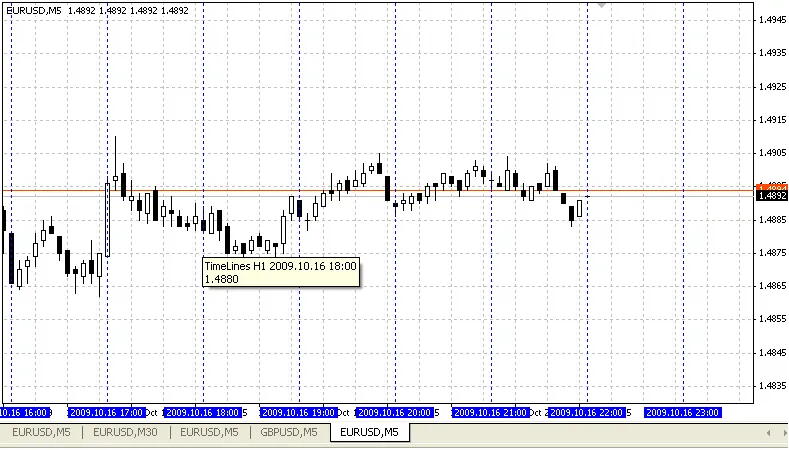
TimeLines 1H
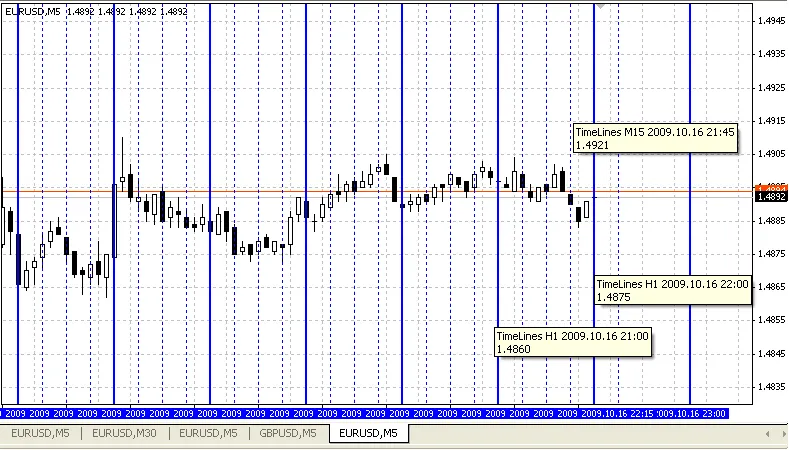
TimeLines 15M and 1H
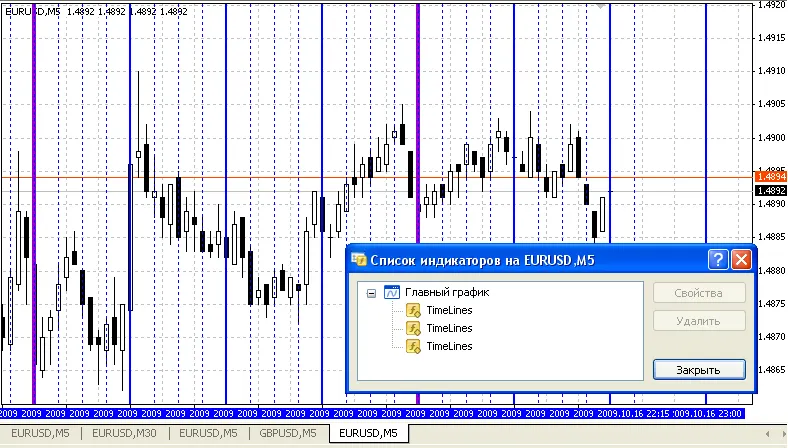
TimeLines 15M, 1H, 4H
While the TimeLines indicator is quite effective, you can also explore other indicators for more complex chart marking.
Happy trading, and make the most of your charts!




Comments 0