
Author: Shimodax
Introduction:
Welcome, fellow traders! Today, we’re diving into the SDX-TzPivots 3 indicator for MetaTrader 4. This nifty tool helps you calculate pivot points and other critical levels based on different time zones. If you're looking to personalize your experience by changing the colors of the levels, just scroll down to line 200 (where it says "Calculate Levels") to make your adjustments. You can find valid color names by hovering over them and hitting F1 for more info.
Time-Zone Inputs:
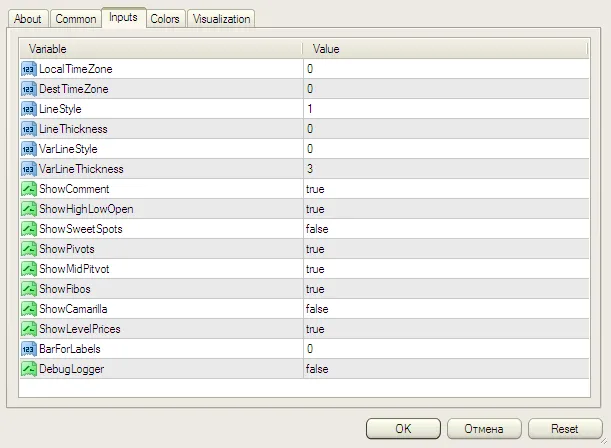
- LocalTimeZone: This is where you set the time zone for your MT4, which reflects your local time. For example, enter 1 or 2 for Europe (GMT+1 or GMT+2 during daylight savings). If no adjustment is needed, just put in zero. Remember, the MetaQuotes demo server runs on GMT +2.
- DestTimeZone: This is the time zone from which to calculate your levels. Use 1 or 2 for the European session (with or without daylight savings) or zero for GMT.
Example: If your MetaTrader server is in the EST zone (GMT-5) and you want to calculate levels for the London trading session (GMT+1 during summer), then you’d set LocalTimeZone to -5 and DestTimeZone to 1.
Keep in mind that the LocalTimeZone setting is based on your MetaTrader charts. For instance, the MetaQuotes demo server is always in CDT (+2) or CET (+1), regardless of your wall clock. If you're unsure, it’s best to leave both settings at zero.
Tips:
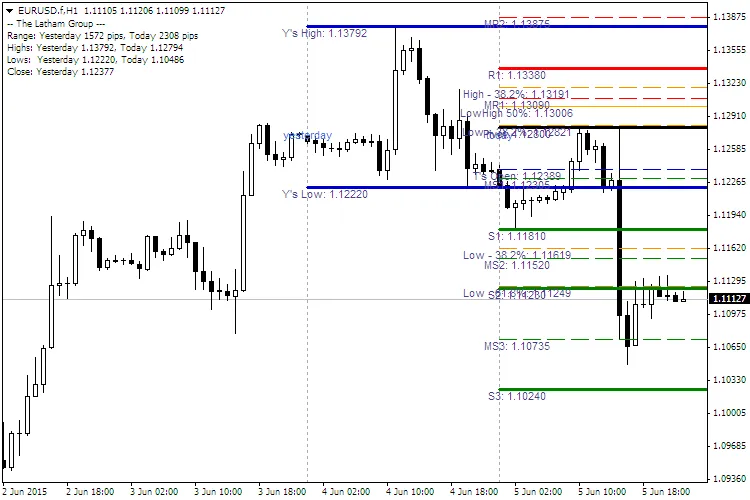
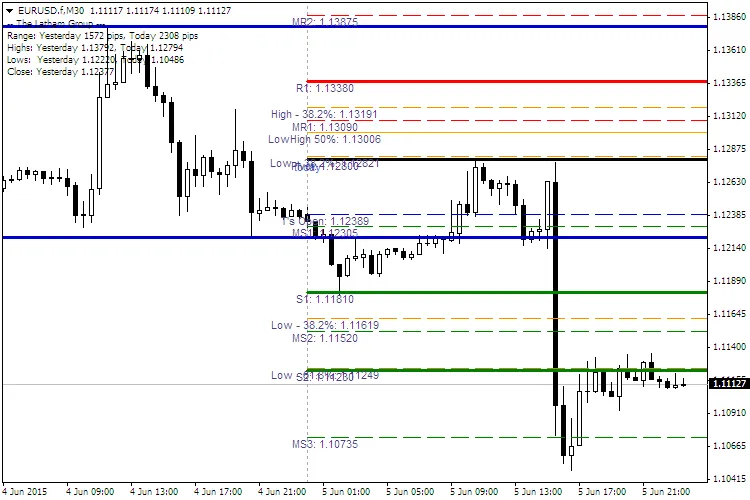
- BarForLabels: This is the number of bars from the right where the line labels will appear.
- Comments for the upper left corner can include: Range, Highs, Lows, and Close for both Yesterday and Today.
New Features:
- VarLineStyle
- VarLineThickness