
Are you looking to sharpen your trading skills? Let’s dive into the CCI in MA indicator for MetaTrader 4, a powerful tool that can help you track trends like a pro!
What is CCI in MA?
The CCI in MA indicator changes color based on the iCCI crossing certain levels. When the iCCI crosses upward, it signals an uptrend, and when it crosses downward, it indicates a downtrend. This visual cue can make it easier for you to spot the trend of your trading pairs.
Key Parameters to Set Up
- MA_Periods — This parameter defines the period for the moving average (iMA).
- MA_Method — Choose your preferred method for the moving average.
- CCI_Periods — Set the period for the Commodity Channel Index (iCCI).
- CCI_AppliedPrice — The price type used for the iCCI calculation.
- CCI_LevelsUp — This sets the threshold level for identifying an uptrend with the iCCI.
- CCI_LevelsDN — This specifies the threshold level for a downtrend.
- BarsCount — Determine how many bars will display the trend line.
- ReverseSignals — This parameter allows for reversing signals from uptrend to downtrend.
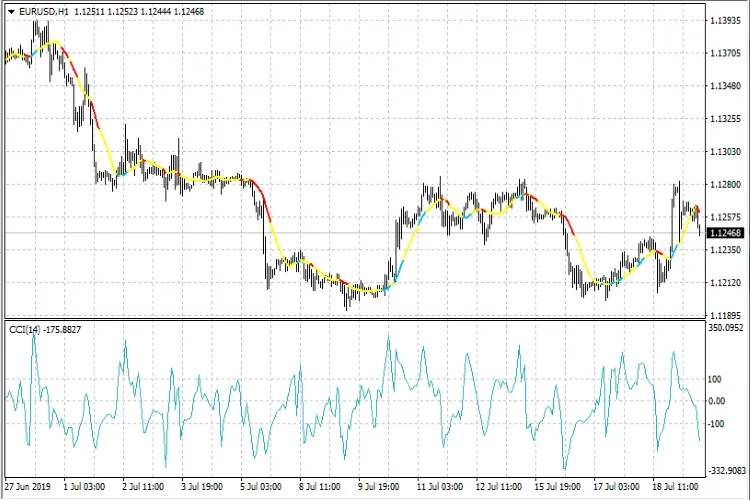
By tweaking these parameters, you can tailor the CCI in MA indicator to suit your trading style. Whether you’re a seasoned trader or just starting out, this tool can give you valuable insights into market trends.




Comments 0