
Welcome to our guide on how to display your order history directly on your MetaTrader 4 chart. This handy indicator will help you keep track of your trading activity, including buy and sell orders, stop losses, take profits, and even closing orders.
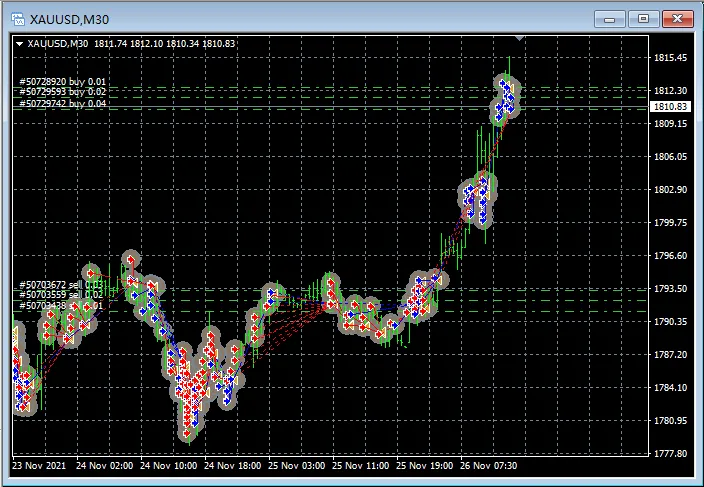
With this tool, you can visualize your trading decisions and improve your strategy. Let's dive into how to set it up!
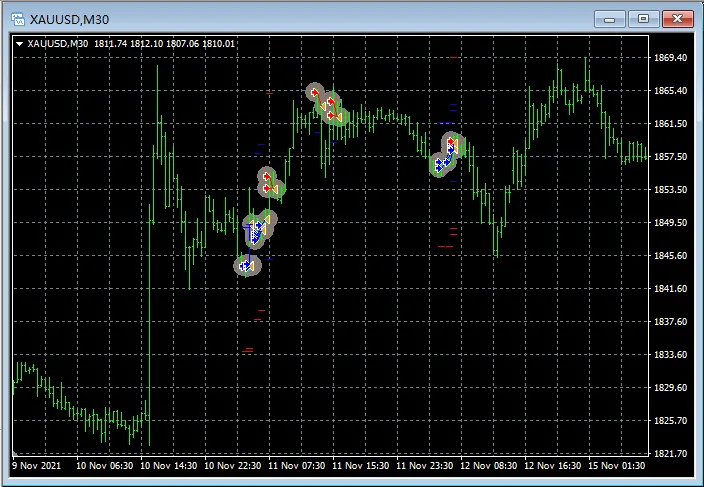
Settings Overview
Here's a breakdown of the settings you can adjust for this indicator:
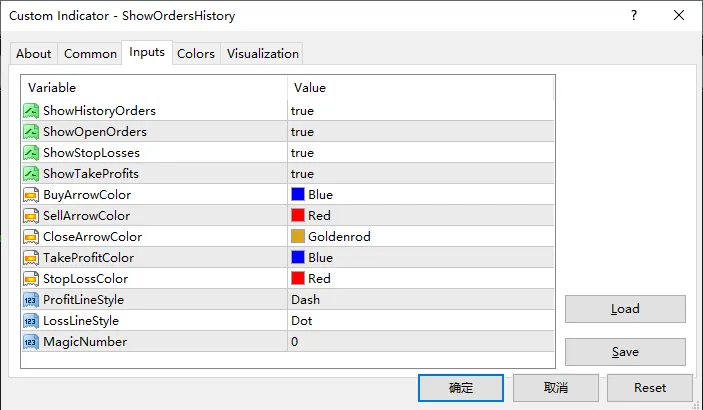
- ShowHistoryOrders: Choose whether to display your historical orders.
- ShowOpenOrders: Decide if you want to see your current open orders.
- ShowStopLosses: Toggle the visibility of your stop loss levels.
- ShowTakeProfits: Control whether to show your take profit levels.
- BuyArrowColor: Set the color for buy order arrows.
- SellArrowColor: Specify the color for sell order arrows.
- CloseArrowColor: Choose the color for arrows indicating closed orders.
- TakeProfitColor: Set the color for take profit lines.
- StopLossColor: Determine the color for stop loss lines.
- ProfitLineStyle: Customize the style of the profit trend lines.
- LossLineStyle: Adjust the style of the loss trend lines.
- MagicNumber: Filter orders by a specific Magic Number. Set to 0 to show all orders.
With these settings, you can personalize the indicator to suit your trading style and preferences. It’s all about making your trading experience as smooth and effective as possible!
Happy trading!




Comments 0