
If you're looking to sharpen your trading strategy, you've come to the right place. This tool is designed to help you calculate the lot size based on your risk percentage and stop loss level, making it easier to manage your trades effectively.
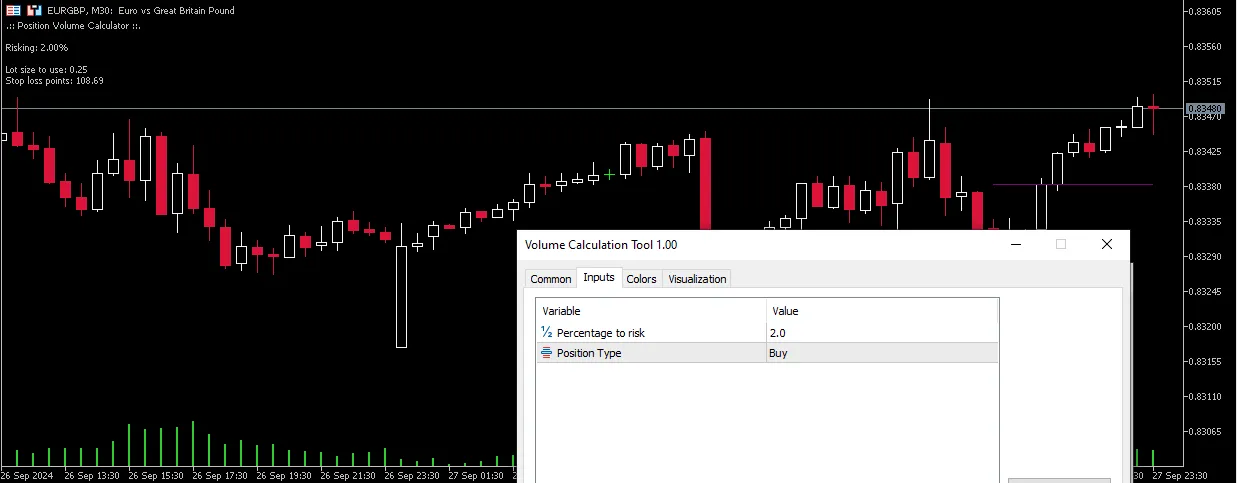
To get started, just click on the chart to set a virtual stop loss. The tool will automatically calculate the lot size based on the risk percentage you apply. Simple as that!
When you're ready to dive into a trade, choose whether you're planning to buy or sell in the input section. This helps you calculate the risk from the ask price for buy positions and from the bid price for sell positions.
Keep in mind that a wider stop loss on higher timeframes can increase your risk. That's because the price movement is scaled by a larger number of points in these timeframes.
This tool is versatile and should work seamlessly across all types of securities.
Remember, the lot size is directly calculated from your input risk percentage and stop loss distance. However, it doesn't consider the maximum tradeable lots allowed on your account, which depends on your account size and leverage. For a clearer picture of your upper limit on lot sizes, be sure to use my max trade volume script.




Comments 0